Still in the Kitchen: Behind the Scenes of Creating Setup Your Project for Success
Why I’m taking my time to design a calm, practical project design toolkit for nonprofits and impact startups.
Written by
Abayomi Ogundipe
Founder
5 min read
This series didn’t start with a camera. It started in the kitchen.
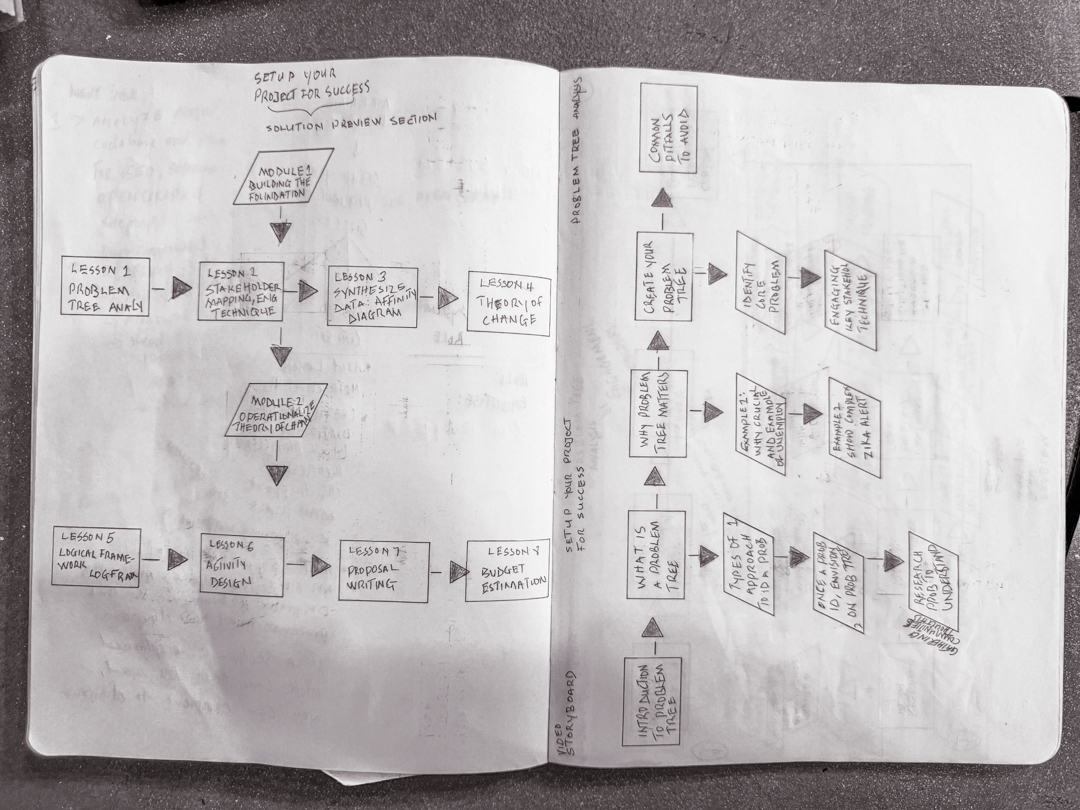
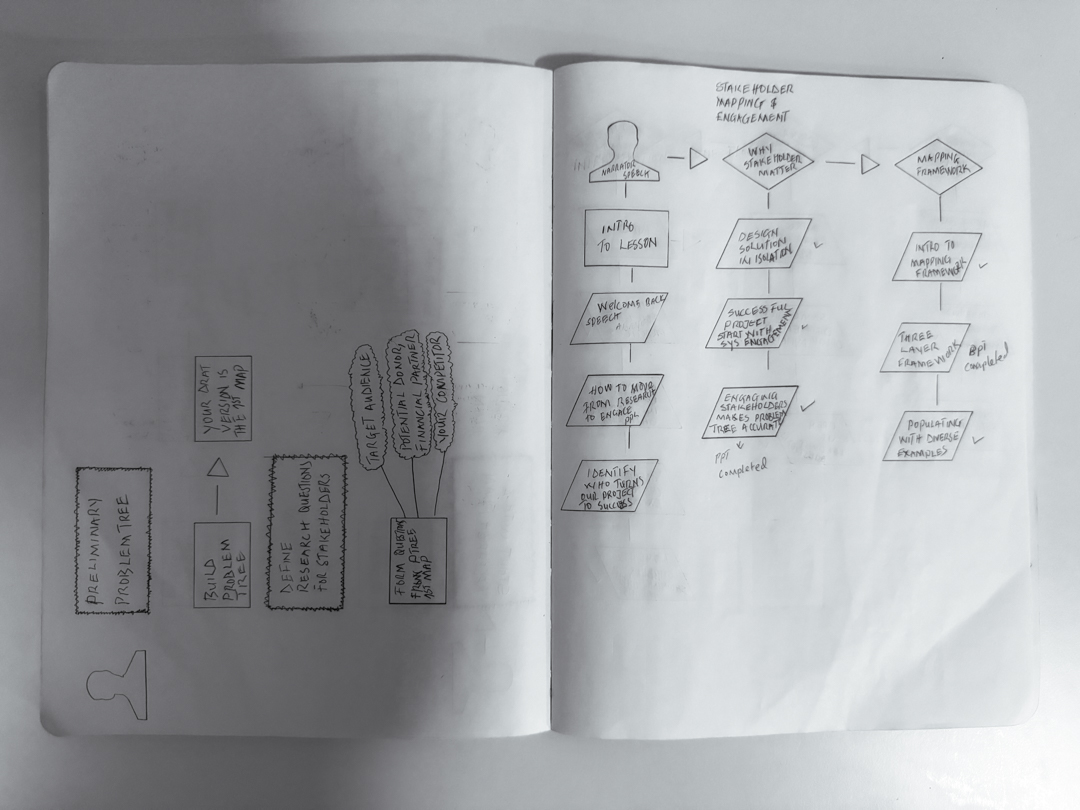
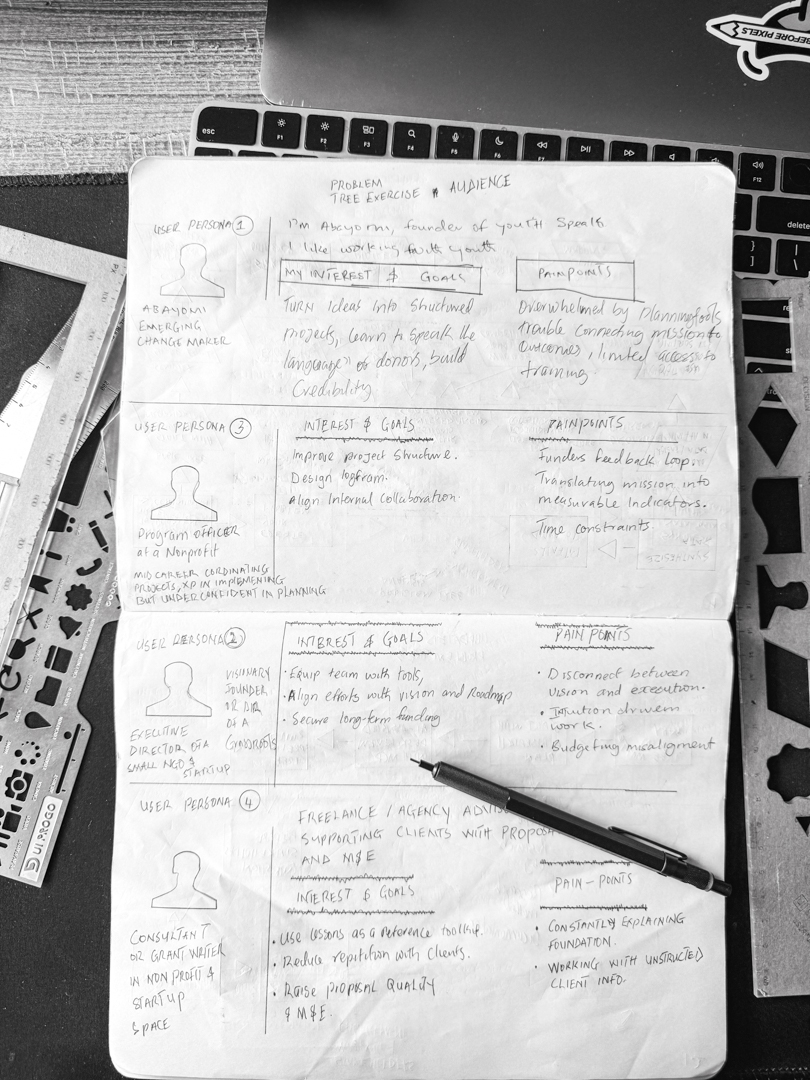
Not a literal kitchen (although there was a lot of coffee involved), but the creative kind: notebooks spread out, frameworks sketched with pencil and ruler, sticky notes everywhere, and questions written in the margins.
What would it look like to teach project design in a way that feels calm, clear, and practical for nonprofits and social-impact teams?
Because of its complexity, it took me more than 24 months, including the mental readiness, to bring it to life. That time wasn’t just about writing scripts or drawing diagrams; it was about integrating my own journey into something that could genuinely serve other people.
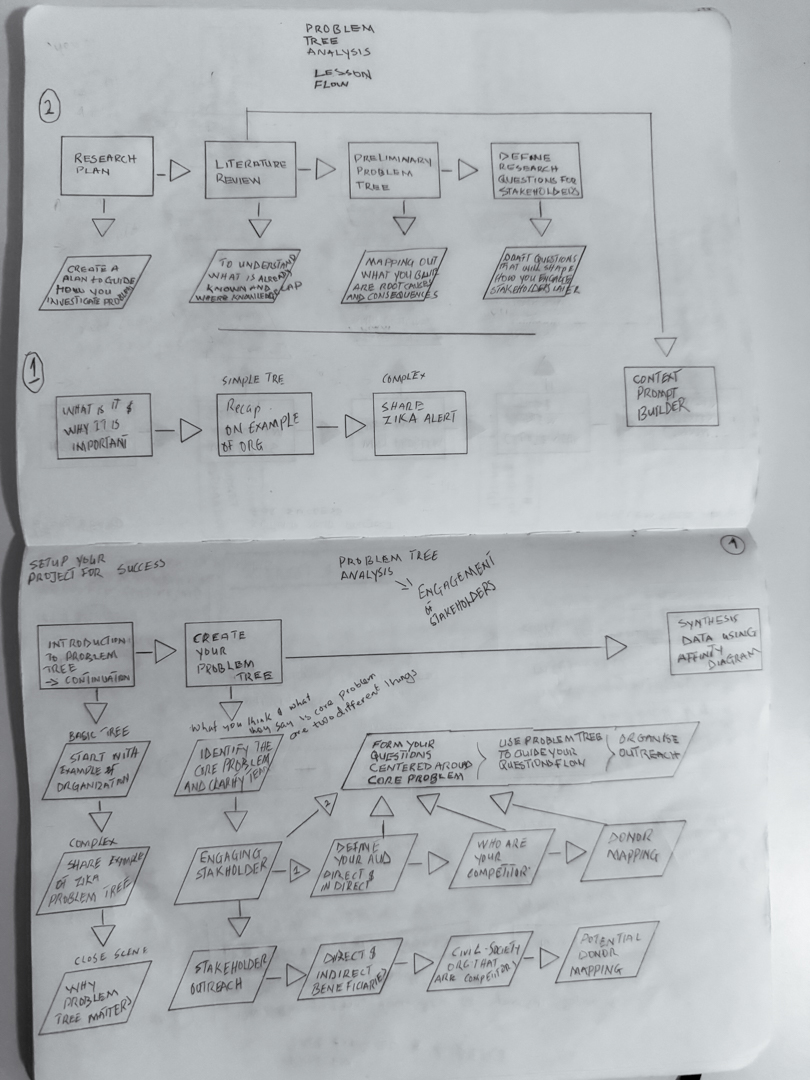
Problem tree lesson flow thought process
I needed isolation and space to think.
I spent time looking back over more than 15 years of work in project design, stakeholder relationships, fundraising, and grants.
I reflected on how long it took to raise my first funds (which weren’t even a grant), what I did to secure the first institutional grant, and how I moved from small grants (under €2,000 to €30,000) from projects like Hire Me, to larger, multi-year grants (from around €100,000 up to €397,000) like STEAMonWheels and GirlsGoIT.
All of that, from building an organization from the ground up, to co-designing projects with stakeholders, getting funded, scaling outreach and impact, and growing funding from very granular levels, took about nine years of deliberate practice.
Once I saw Setup as a full communication system, not just a set of videos, the next question was obvious: what kind of platform could actually hold it?
I use my sketch to track lesson decks and other dependencies.
The Long Road to the Toolkit Platform
While all of that was happening, I was also figuring out where the toolkit would live.
My first plan was simple: use GitBook. It was fast to set up, easy to navigate, and felt like the right home for a structured learning resource. I even had an early version of the toolkit running there at: First version.
Then I tried to use mermaid diagrams. GitBook asked me to upgrade to a paid plan to unlock that feature. I knew I wanted visual diagrams to be a core part of how I teach, but I did not want the platform to lock basic teaching tools behind a paywall. So I went looking for an open solution.
That is how I found Just the Docs, a documentation theme built on Jekyll. It was closer to what I wanted: open, fast, and flexible enough to host mermaid.js and other dependencies. I have coding experience, so I decided to get my hands dirty and build the toolkit on top of it.
After a few days of coding and configuration, I had a working version. I liked it. It was clean, text first, and gave me far more control than GitBook. It felt closer to the kind of learning space I wanted to create.
But once I started building out the Building the Foundation lessons, the cracks showed up. I could not shape the user interface the way I needed. I struggled to increase font sizes for readability. Dark mode refused to behave. Every small visual change took more time than it should. After a while, instead of feeling excited about the toolkit, I felt stuck, frustrated, and like I was trying to force a tool to do something it was never designed to do.
I stepped away for a few days. No coding. No tweaking. No AI helping in the background. I needed distance.
Then a new idea arrived: what if Setup was not just content on top of someone else’s system, but a full platform designed with the same care as the lessons themselves?
That is when I decided to rebuild Setup using Laravel. I would keep all the pages static, avoid a heavy database layer, and build a design system that sat on top of Festa’s existing foundations. Progressive enhancement, semantic HTML, and accessibility first.
I used atomic design principles to create the Setup design system and started assembling real components for the lesson pages. You can see a glimpse of that work in the showcase section.
What was supposed to be a one week sprint to set up lesson pages on GitHub turned into five months of steady work on the Laravel platform. I am still improving it as we prepare for launch.
I am sharing this because the platform is part of the pedagogy. The way Setup looks and behaves is as intentional as the frameworks inside it. The platform needed to feel calm, spacious, and dependable enough to hold your project work. Getting there took longer than I expected, but I am glad I stayed in the kitchen with it.
Why “Still in the Kitchen”
“Still in the Kitchen” is about showing everything that happens before that:
The hours of sketching Problem Trees, stakeholder maps, and theories of change.
The decisions about what to leave out so each lesson feels light enough to use.
The testing of layouts so they work on a tired program officer’s laptop and a small phone screen.
The quiet revisions when something feels clever but not actually helpful.
I wanted you to see that process because the toolkit asks you to trust it. You deserve to know how seriously i take that.